Is this your app? Claim this page to add your own description, links and contact info. It's free. →

Air Mirror for Chromecast TV at Mac App Store analyse
Best App Limited
Version
2.1.3
Size
9.1 Mb
Updated
2 months ago
Released
24 Jul 2018
Screenshots
Description
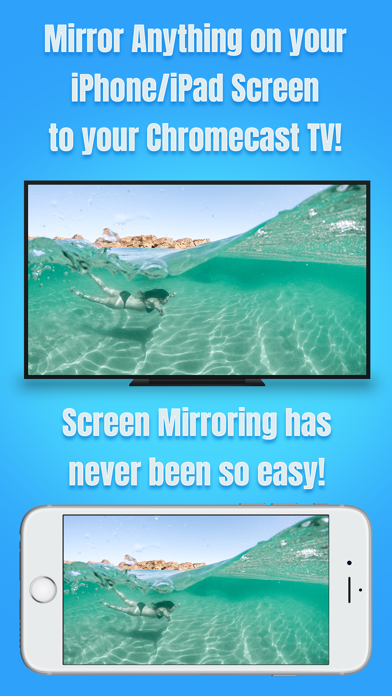
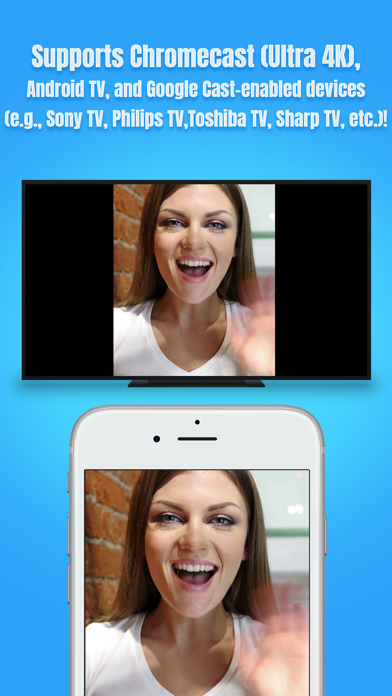
* Wirelessly mirror any app – or anything else – on your iPhone/iPad screen to your Chromecast devices via your home network!
* Designed for Chromecast, Android TV, and various Google Cast-enabled devices (e.g., Sony TV, Philips TV, Toshiba TV, Sharp TV, Nvidia Shield, Razer Forge TV)!
* No wires, no additional hardware, and no hassles! Simple and easy!
Air Mirror App can wirelessly mirror your iPhone/iPad screen to your Chromecast TV via your home network. Just follow the guide below to complete the initial setup – and your iPhone/iPad screen will appear instantly on your TV! Its great for watching movies, viewing photos, making presentations, web browsing, and much more!
USERS GUIDE:
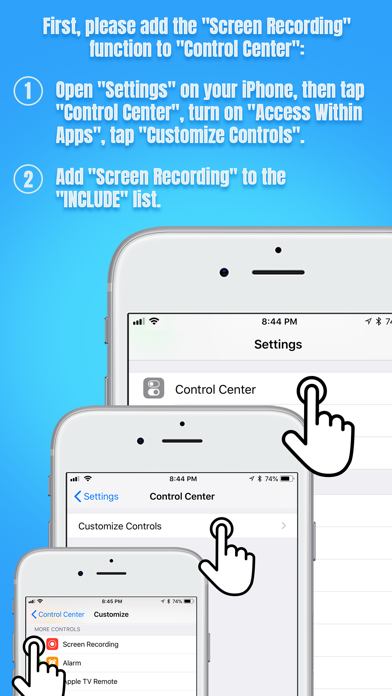
First, please add "Screen Recording" function to the "Control Center" on your iPhone/iPad:
1. Open "Settings" on your iPhone/iPad, then tap "Control Center".
2. Please turn on "Access Within Apps", then tap "Customize Controls".
3. Scroll down and look for "Screen Recording" from the "MORE CONTROLS" list. Then tap the green + button to add the "Screen Recording" control to the "INCLUDE" list.
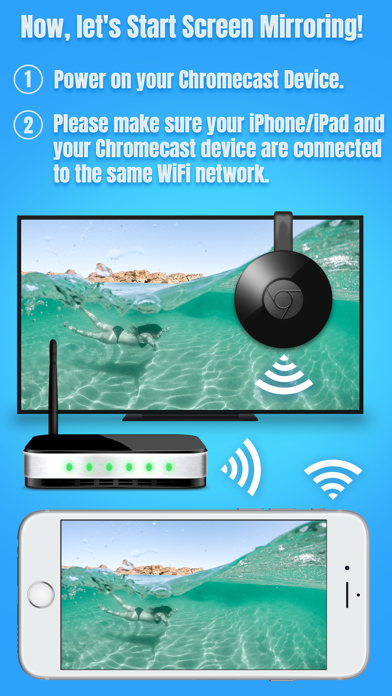
Now, lets Start Screen Mirroring:
1. Power on your Chromecast device. Make sure your iPhone/iPad and your Chromecast device are connected to the same WiFi network.
2. On iPhone X or later or iPad with iOS 12 or later, swipe down from the upper-right corner of the screen to open "Control Center". On other iPhones and iPads, swipe up from the bottom edge of any screen to open "Control Center".
3. Long Press / Force Press / 3D Touch the "Screen Recording" control (NOT "Screen Mirroring") to open the app list.
4. Scroll up/down to look for the app "Air Mirror for Chromecast TV" on the list, then select it and tap "Start Broadcast".
5. Open the app, and tap the "Connect" button in the top right corner. It will scan your network. Once your Chromecast device is found, please select it from the device list to start mirroring! Finally, please select the icon on the bottom bar, which represents the orientation you going to use. It may take up to 10 seconds for your settings to kick in.
6. Soon you should see your iPhone/iPad screen mirroring on your Chromecast TVs or devices! :-)
Stop Screen Mirroring:
1. Open the "Control Center" on your iPhone/iPad, tap the flashing Red button once. Screen mirroring will stop. When you want to mirror again, just follow the steps above.
KEY FEATURES:
• Mirror anything and any app on your iPhone/iPad screen to your Chromecast TVs or devices in high quality.
• Supports both portrait and landscape orientations for screen mirroring.
• Consumes fewer resources, so your iPhone/iPad wont run slowly during screen mirroring.
• Supports a lot of Chromecast devices:
- Chromecast 1st gen and 2nd gen
- Chromecast Ultra 4K
- Android TVs or Smart TVs with Chromecast/Google Cast built-in (VIZIO, Sony, Philips, Toshiba, Sharp, Polaroid, Skyworth, etc.)
Check here for details: https://www.google.com/chromecast/built-in/tv/
- Google Cast-enabled devices (Nvidia Shield, Razer Forge TV, Xiaomi Mi Box, etc.)
- TV boxes with Chromecast built-in (Nexus Player, etc.)
- Chromecast Audio
- Wireless speakers with Chromecast built-in (Sony, B&O PLAY, VIZIO, etc.)
KNOWN ISSUES:
• You will experience a latency (delay) on your TV screen during mirroring; it is impossible to achieve zero-second latency.
• DRM-protected content cant be mirrored, e.g., Netflix video.
TROUBLESHOOTING:
• The app may take up to 20 seconds to discover your Chromecast TVs or devices on the network. If it fails to find them or fails to mirror, please restart your router, iPhone/iPad and Chromecast devices.
• For other problems, please contact our technical support directly.
NOTE: All trademarks, such as Chromecast, Google Cast, and Android TV are the intellectual property of their respective owners. This iOS application is developed, owned and maintained by a third party that has no affiliation with or endorsement from any of the trademark owners.
Estimates
Search Keywords 24
| # | Term | Country | Place | Priority |
|---|---|---|---|---|
| 1 | screen mirroring chromecast | #2 | ||
| 2 | sony tv media player hd | #4 | ||
| 3 | chromecast audio | #5 | ⭐️⭐️⭐️⭐️ | |
| 4 | screen mirroring sharp tv | #5 | ⭐️⭐️⭐️⭐️ | |
| 5 | chrome cast remote | #6 | ⭐️⭐️⭐️⭐️ | |
| 6 | toshiba remote | #6 | ⭐️⭐️ | |
| 7 | tv remote for toshiba | #7 | ⭐️⭐️⭐️⭐️ | |
| 8 | video & tv cast for lg smart tv | #8 | ⭐️⭐️⭐️⭐️ | |
| 9 | chromecast screen | #8 | ⭐️⭐️⭐️⭐️ | |
| 10 | google crome cast | #10 | ⭐️⭐️ | |
| 11 | tv remote for philips | #10 | ⭐️⭐️⭐️⭐️ | |
| 12 | dlna for chromecast | #11 | ||
| 13 | chromecast mirroring | #11 | ⭐️⭐️⭐️⭐️ | |
| 14 | sony media remote | #11 | ⭐️⭐️⭐️⭐️ | |
| 15 | mirror for lg tv cast & remote | USA | #12 | |
| 16 | chromecast mirror | #12 | ⭐️⭐️⭐️⭐️ | |
| 17 | chromecast remote | #14 | ⭐️⭐️⭐️⭐️ | |
| 18 | google chromecast app | #15 | ⭐️⭐️ | |
| 19 | chrome tv | #16 | ⭐️⭐️⭐️⭐️ | |
| 20 | mirror for lg tv cast | USA | #16 | ⭐️⭐️⭐️⭐️ |
| 21 | air display | #17 | ⭐️⭐️⭐️⭐️ | |
| 22 | tv cast lg | #18 | ⭐️⭐️⭐️⭐️ | |
| 23 | chromecast app | #18 | ⭐️⭐️⭐️⭐️⭐️ | |
| 24 | screen mirroring app | #19 | ⭐️⭐️⭐️⭐️ |