Is this your app? Claim this page to add your own description, links and contact info. It's free. →

Version
4.1
Size
0 Bytes
Updated
2 months ago
Released
22 Mar 2017
Screenshots

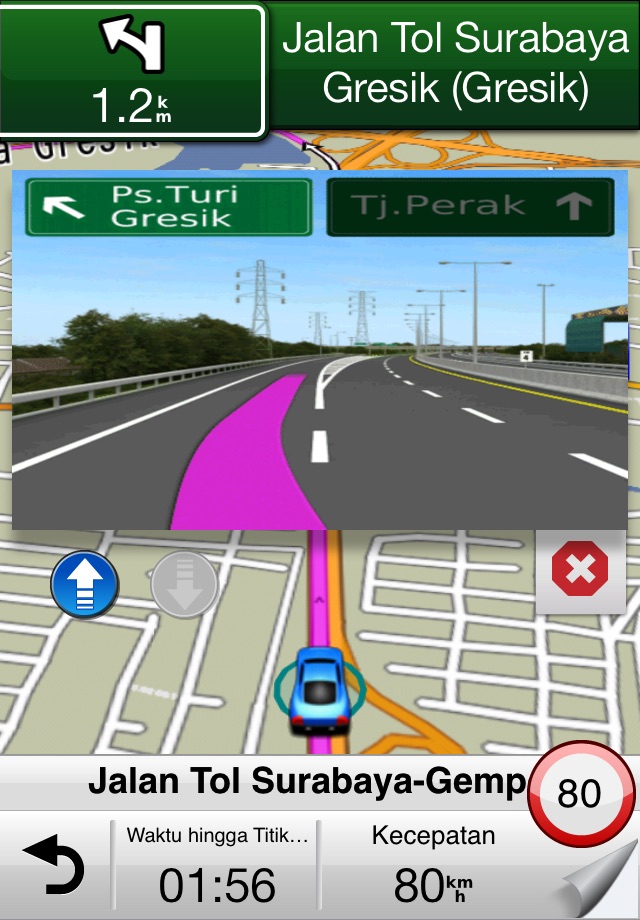
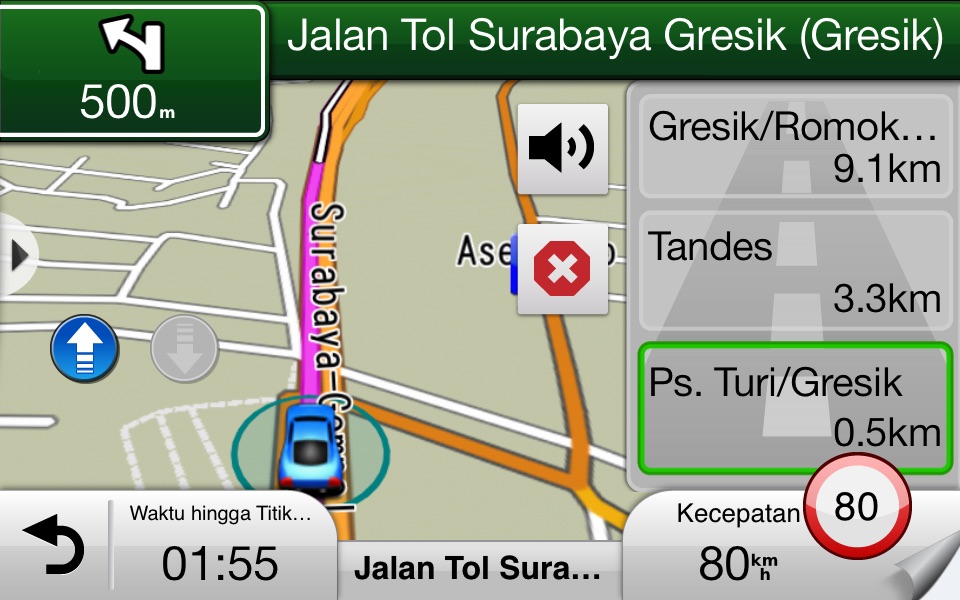
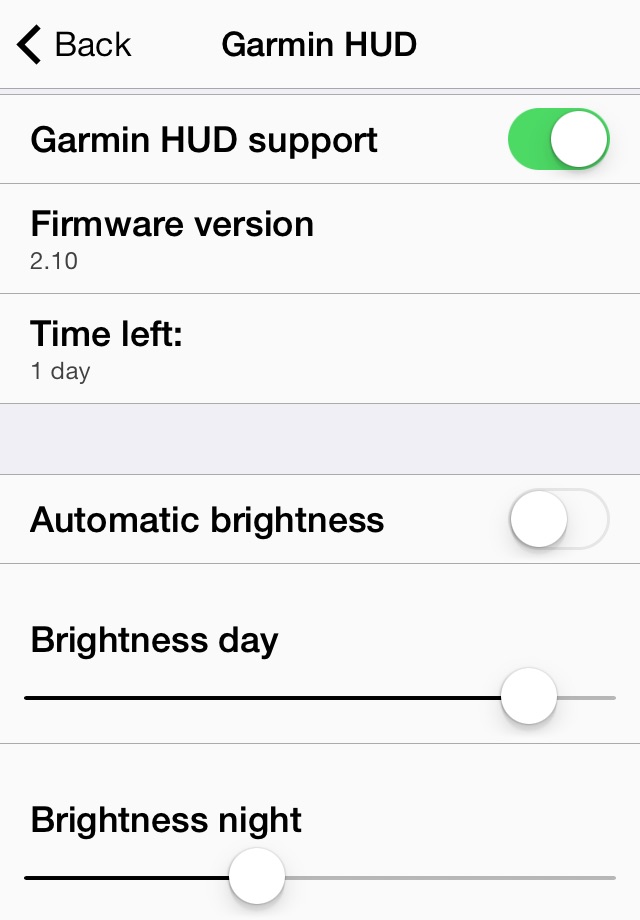
Description
“Garmin Street Pilot” navigation app will be discontinued by July 31st, 2017. The latest version of “Garmin Street Pilot” is compatible with iOS 10, and the latest map is 2016Q2.
By discontinuation of the app, Garmin will not offer following software and map updates; at the same time, current users can still use the app with iOS 10.
We sincerely apologize for the inconvenience.
* Map coverage: Indonesia
*Garmin HUD Indonesia application is designed to be used with the connection of Garmin HUD+ device only. Please pair your iOS device with Garmin HUD+ before starting Garmin HUD Indonesia for the innovative navigation usage. It runs on iPhone7/iPhone7 Plus, iPhone 6 Plus, 6, 5S, iPhone5, iPhone 4S and works on GPS-enabled iPads as well.
Connecting “Garmin HUD Indonesia” App with Garmin HUD+ device:
1.Plug in the device and ensure it is turned on.
2.Turn on the Bluetooth function of your iOS device.
3.A list of nearby Bluetooth® devices will appear and select Garmin HUD+ in the list.
4.Turn on the “Garmin HUD Indonesia” App and enjoy the excellent navigation system.
Garmin HUD Indonesia gives your iPhone® the best in GPS navigation with PhotoReal junction views, lane guidance, and more. In addition to the premium features, it is easy to use thanks to the intuitive Garmin user interface. With the preloaded maps on your device, you can look up addresses and points of interest (POI), such as gas stations, restaurants and ATMs without Internet connection. Download Garmin HUD Indonesia and enjoy the excellent navigation system!
Map contents
* Preloaded Navteq map. Map coverage: Indonesia
* FREE map update¹
* Speed limits for most major roads
* Lane assist with PhotoReal™ Junction View provides a photo-realistic illustration of the correct lane for different maneuvers
Navigation
* Industry-leading Garmin user interface
* Car/Pedestrian mode
* TTS (text-to-speech): Voice-prompted, turn-by-turn directions including spoken street names
* Last mile: Parking information and switch to Pedestrian mode
* Trip planner allows you to create a route with multiple stops in advance with automatic or manual ordering of destinations
Search POI
* iQ search: Get the results of searching with ultra-fast speed
* Exit services allow you to quickly see services such as restaurants, gas stations and accommodation available at exits along your route
* Where Am I? Emergency locator shows your exact latitude and longitude, the nearest address and intersection, and the closest hospitals, police stations and gas stations
Internet Service
* Weather feature shows current conditions and a 5-day forecast
* Vehicle icon download: link to Garmin Garage to get fancy icons
* Location sharing to SMS
* Support iCloud data backup
** Note: Continued use of GPS running in the background can dramatically decrease battery life.
¹ FREE map updates entitle you to receive up to 4 map data updates per year, when and as such updates are made available on the App Store, for this specific Garmin product only until this product’s useful life expires or Garmin no longer receives map data from its third party supplier, whichever is shorter. After that, Garmin will not provide the Garmin product on the App Store or any free map update service. According to the data application environment, technological development and change, the revision of local laws and regulations and etc., Garmin has right to stop providing the APP download and map data update service.
Customer service
Email: [email protected]
Monday – Friday: 8 AM – 17 PM (GMT+8)
Phone: 886-2-26429199 ext 2 (English & Mandarin)
Estimates
Availability
Devices
iPhone4
iPad2Wifi
iPad23G
iPhone4S
iPadThirdGen
iPadThirdGen4G
iPhone5
iPodTouchFifthGen
iPadFourthGen
iPadFourthGen4G
iPadMini
iPadMini4G
iPhone5c
iPhone5s
iPadAir
iPadAirCellular
iPadMiniRetina
iPadMiniRetinaCellular
iPhone6
iPhone6Plus
iPadAir2
iPadAir2Cellular
iPadMini3
iPadMini3Cellular
iPodTouchSixthGen
iPhone6s
iPhone6sPlus
iPadMini4
iPadMini4Cellular
iPadPro
iPadProCellular
iPadPro97
iPadPro97Cellular
iPhoneSE
iPhone7
iPhone7Plus
iPad611
iPad612
iPad71
iPad72
iPad73
iPad74
iPhone8
iPhone8Plus
iPhoneX
iPad75
iPad76
iPhoneXS
iPhoneXSMax
iPhoneXR
iPad812
iPad834
iPad856
iPad878
iPadMini5
iPadMini5Cellular
iPadAir3
iPadAir3Cellular
iPodTouchSeventhGen
iPhone11
iPhone11Pro
iPadSeventhGen
iPadSeventhGenCellular
iPhone11ProMax
iPhoneSESecondGen
iPadProSecondGen
iPadProSecondGenCellular
iPadProFourthGen
iPadProFourthGenCellular
iPhone12Mini
iPhone12
iPhone12Pro
iPhone12ProMax
iPadAir4
iPadAir4Cellular
iPadEighthGen
iPadEighthGenCellular
iPadProThirdGen
iPadProThirdGenCellular
iPadProFifthGen
iPadProFifthGenCellular
iPhone13Pro
iPhone13ProMax
iPhone13Mini
iPhone13
iPadMiniSixthGen
iPadMiniSixthGenCellular
iPadNinthGen
iPadNinthGenCellular
iPhoneSEThirdGen
iPadAirFifthGen
iPadAirFifthGenCellular
iPhone14
iPhone14Plus
iPhone14Pro
iPhone14ProMax
iPadTenthGen
iPadTenthGenCellular
iPadPro11FourthGen
iPadPro11FourthGenCellular
iPadProSixthGen
iPadProSixthGenCellular