Is this your app? Claim this page to add your own description, links and contact info. It's free. →

HD Voice Recorder for mp3/wav/m4a Audio Recording at Mac App Store analyse
Newkline Co., Ltd.
Version
4.1
Size
8.07 Mb
Updated
2 months ago
Released
21 Jul 2015
Screenshots



Description
HDVR is the best voice recording application with cool interface and perfect functions for businesspersons, reporters, tutors, audio experts, sound engineers, school personnel, university students and those who need to manage voice memos.
Support for Apple Watch
Today Widget
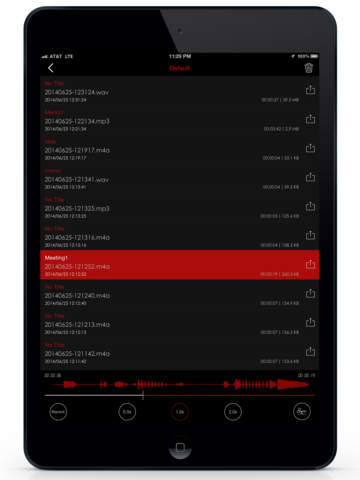
It is available on both iPhones and iPads.
* Main functions
- Direct recording MP3,WAV,M4A audio format
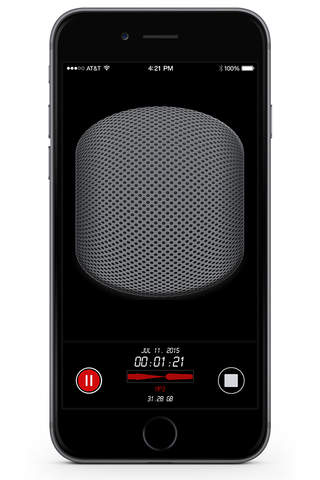
- High quality audio recording
- Unlimited recording time
- Background recording (you can use other apps while recording/ secret recordings possible)
- Wave display for recording status
- Various audio quality options
Sample rate : (11,025KHz, 22,050KHz, 44,100KHz,48,000KHz)
Bit rate (48kbps, 64kbps, 128kbps, 192kbps,256kbps,320kbps)
- Mono/stereo recording
- Records playable in various media
- Restart voice recordings after paused by phone calls
- Add description to voice records
- Fast and easy to use
- Display recording file size
- Safe stop for low battery and storage space
- Bluetooth support
- Support audio formats (MP3,WAV,M4A) HD
* Powerful file Sharing & Management
- Transfer files using iTunes
- Dropbox
- Email
- AirDrop
- Wi-Fi file management (upload,download,edit...)
- File sharing / send file in another app “Open in”
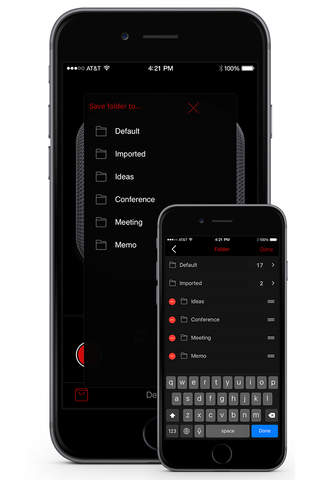
*Folder management
You can create folders to save and control files
Creating/editing/deleting/changing/moving
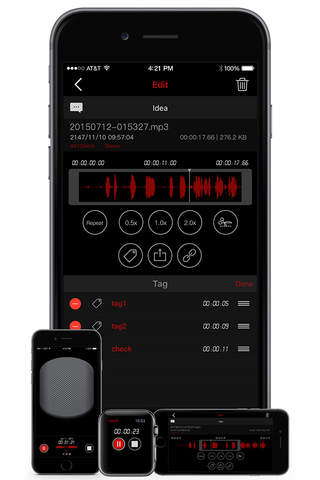
*Repeated, slow or fast play
You play repeatedly, slow or fast.
Replay / 0.5x Play / 2x Play
Fine-tune the playback speed (0.1x~~n)
*Trim audio records
You can trim the voice records as you want.
You can use the left/right pointers to trim the voice records and save it. (mp3,wav,m4a)
*Audio visualization
Voice records are visualized so that you can easily identify voice sections.
Sound visualization
*Sound tag
You can play immediately by adding several tags to one audio file at selected time.
Play at the location of tag
*Sound file combination
You can create one new file out of several audio file.
Create a file by setting play sequence of several files
Estimates
More from Newkline Co., Ltd.
 Private Albums-Secure Vault for Picture and Videos
 Private Albums Pro-Secret Vault for Picture/Videos
 VoiceR - Smart Voice Recorder
 VoiceR Pro - Smart Voice Recorder
 Ringtone Studio Pro
 Ringtone Studio
 OverRun Bird
HD Voice Recorder for mp3/wav/m4a Audio Recording
OverRun Bird
HD Voice Recorder for mp3/wav/m4a Audio Recording
 HD Voice Recorder Pro for mp3/wav/m4a Audio Recording
 Awesome Voice Recorder