Is this your app? Claim this page to add your own description, links and contact info. It's free. →

Version
1.4
Size
8.78 Mb
Updated
2 months ago
Released
27 Jul 2018
Screenshots

Description
About:
- In the "Words to Learn" tab, ten random words are displayed. Tapping the button in the upper right-hand corner refreshes the list for ten new Words.
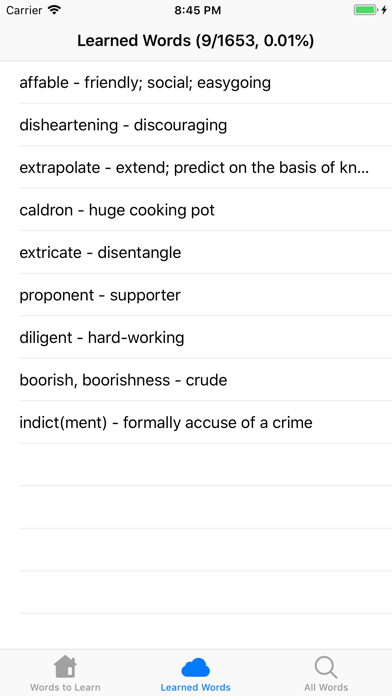
- In the "Learn Words" tab, your learned words are displayed. To learn a word, tap on any word to display it in a larger view. In the upper right-hand corner, you can tap "Learn" to learn the word. To unlearn a word, tap on the word again, and tap "Unlearn". The title of this tab also displayed a fraction and percentage of your learned words out of all the words.
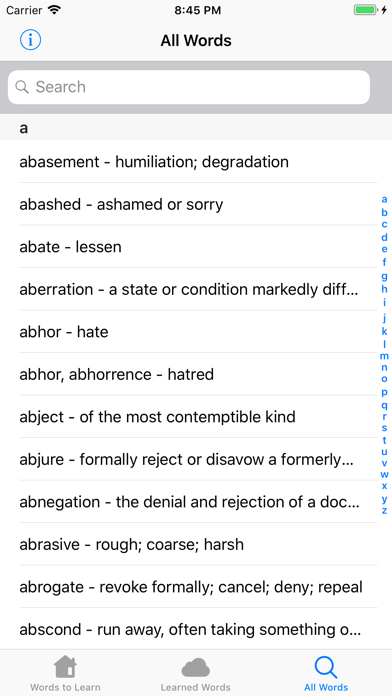
- In the "All Words" tab, you can navigate through all the words by using the scroll bar on the right, or search for a specific word using the search bar. A learned will have a checkmark in its cell to indicate that it has already been learned.

