Is this your app? Claim this page to add your own description, links and contact info. It's free. →

LINE MUSIC THAILAND at Mac App Store analyse
LINE COMPANY (THAILAND) LIMITE
Version
2.2.2
Size
0 Bytes
Updated
2 months ago
Released
20 Jun 2016
Screenshots
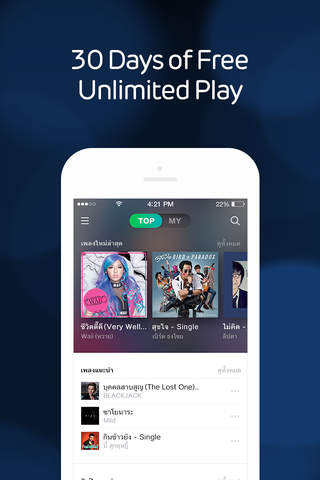


Description
[New Version Update]
Weve just released our brand new look!
- Easily start playing our charts and hottest hits
- Access your own favorites and playlists at a single click
[LINE MUSIC]
Enjoy unlimited music streaming, share songs in LINE, download your music offline and many more..
Explore our growing library of music, from the latest hits to the classics
Weve got your local favorite music covered!
After 30 Days of FREE trial, continue to be rewarded with unlimited access, exclusives + great surprises with just a THB 60 ticket!
- Access on PC / Mac: https://music.line.me
- Follow us on LINE: https://lin.ee/bipkCfN
[LINE MUSIC FEATURES]
- Download offline to play music without using your data
- Share and play music directly in LINE - express yourself more!
- Create your own playlists and be your own DJ
- Easily search for your favourite music and other trending searches
- Discover new music via recommendations & curated playlists
- Check out the songs most popularly played between your friends
- Sing along to lyrics of the songs you are listening to
- Select your listening preference (up to high quality music)
- Snooze away to your favourite tunes with the Sleep Timer
- Enjoy free Preview mode anytime on mobile & PC
[Tickets]
1. 30 Day Ticket
Price : $1.99 (Tax Included)
Period : 30 Days (Counted from the start date)
2. Monthly Subscription
Price : $1.99 (Tax Included)
Period : 1 Month (Counted from the start date)
[Ticket Guide]
1. Payment
- Payment will be charged to your iTunes Account upon confirmation of purchase.
※ If you are using a free trial ticket, the newly purchased ticket will be activated upon expiration of the existing free trial ticket.
2. Purchase History and Cancellation
- You can check your purchase history and cancel your subscription in the page below.
- [ App Store / Scroll to bottom of Featured page > Apple ID / View App ID > Subscriptions / Manage ]
3. Additional Info on Auto-Renewal Purchases
- Subscriptions will renew automatically unless auto-renewal is turned off at least 24-hours before the last day of the existing ticket.
- Auto-renewal will occur within 24 hours prior to the end of the existing ticket.
- You can cancel your auto-renewal subscription in the account settings page.
- You can continue to use the remainder of an already purchased ticket after cancelling your subscription.
Estimates
Availability
Devices
iPhone4
iPad2Wifi
iPad23G
iPhone4S
iPadThirdGen
iPadThirdGen4G
iPhone5
iPodTouchFifthGen
iPadFourthGen
iPadFourthGen4G
iPadMini
iPadMini4G
iPhone5c
iPhone5s
iPadAir
iPadAirCellular
iPadMiniRetina
iPadMiniRetinaCellular
iPhone6
iPhone6Plus
iPadAir2
iPadAir2Cellular
iPadMini3
iPadMini3Cellular
iPodTouchSixthGen
iPhone6s
iPhone6sPlus
iPadMini4
iPadMini4Cellular
iPadPro
iPadProCellular
iPadPro97
iPadPro97Cellular
iPhoneSE

