Is this your app? Claim this page to add your own description, links and contact info. It's free. →

Version
1.1
Size
17.99 Mb
Updated
2 months ago
Released
06 Nov 2015
Screenshots
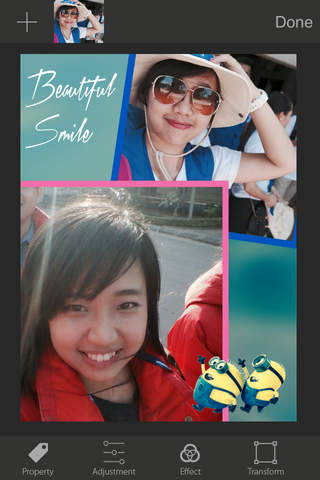
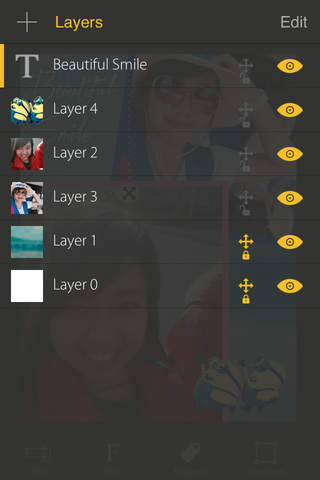
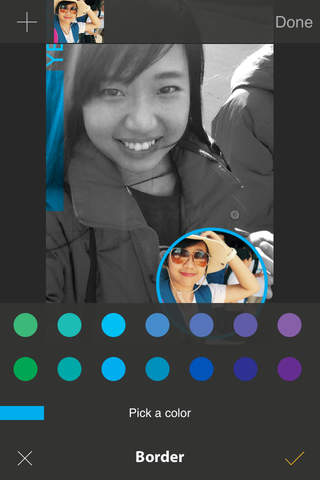


Description
Photo A to Z maximizes your creative on layers of photos, texts and shapes
Photo A to Z is designed for expandable and targeted as a unique photo app that you need to install on your iPhone/iPad to do everything with photos.
USE PHOTO A TO Z To
○ Design typographic, poster, magazine cover
○ Design cards
○ Overlay photos
○ Blending photos
○ Add quote to photo
○ Add text to photo
○ Take note on photo
○ Layout as new paper
○ Create image story
○ Pinterest photo style
○ Create picture with blur background
○ ...
FEATURES
○ Add any number of photos, texts, shapes in a project, easy to visualize your idea
○ Manage layers: change Z order, show/hide, delete, lock for moving
○ Rotate layers from 0º to 360º
○ Horizontal, vertical Flip
○ Scaling with/without constraint or ratio of 1:1 (square)
○ Adjust opacity value
○ Drop shadow
○ Set blending mode: Multiply, Screen, Overlay, Darken, Lighten, ColorDodge, ColorBurn, SoftLight, HardLight, Difference, Exclusion, Color, Luminosity
○ Great photo effects: Chrome, Fade, Instant, Process, Transfer, Mono, Noir, Tonal
○ Photo adjustments: brightness, contrast, saturation, hue, vibrance, exposure, gamma
○ Apply photo filters: iOS style blur, box blur, motion blur, sketch, pixelation
○ Ability to set border for photo in square or circle form, adjust border size, border color, corner radian, border blending
○ Crop photo
○ Many options for project resolution
○ A large number of beautiful fonts are organized by categories, easy for choosing
○ Adjust character space, line space, text alignment, text color, text blending
○ Change type of shape (rectangle, circle), color, blending, opacity
GESTURES
● Double tap: Select an item
● Pinch: Zooming in/out
● Pan with one finger:
・In Scale mode: pan outside of the selected item for scaling
・In Rotate mode: pan outside of the selected item for rotating
・In Crop mode: pan outside of the selected item for changing frame of cropping
・In other modes: moving items
● Pan with two fingers: moving whole screen