Is this your app? Claim this page to add your own description, links and contact info. It's free. →

NewVision To Go Standard at Mac App Store analyse
Optical Directions Consulting
Version
1.17
Size
0 Bytes
Updated
2 months ago
Released
23 Apr 2018
Screenshots

Description
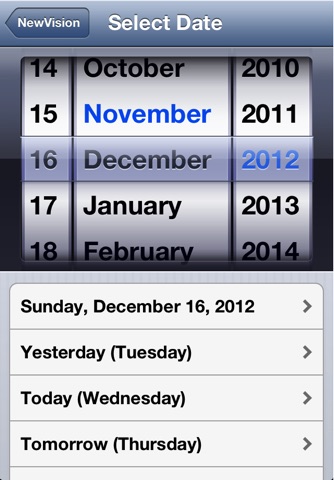
NewVision To Go is an iPhone application that allows you to view, create, edit and delete your Sunix Vision appointments from anywhere, anytime. It also allows you to view patient details, including brief consultation history and uncollected specs and contact lenses.
Perform queries on your data, plenty of sample queries included, or you can create your own.
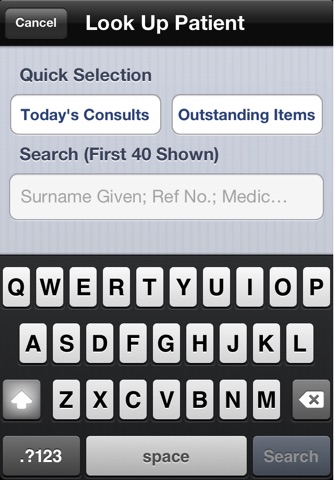
Search your patient database for patient information.
Have a friend or relative that asks you for an appointment on your day off? Cant remember the name of that patient you saw? Need to block off some time? Want to know if that 9am slot has been booked?
NewVisionToGo is the solution. It uses very little data, so you dont need to fear exhorbitant data costs.
The server is password-protected, so your confidential information is safe.
The application requires a server program installed and running on a local computer.
This application can be downloaded from http://www.ausoptom.com/NewVisionToGo/newvisiontogo.html (or just click the Support link below).
This page also contains instructions on getting your server visible to the iPhone when youre away from your practice.
Also works with iPod Touch when you have wireless internet access (such as within your own practice).
Easy to update to the full version, just select "More" from the main screen and choose which option(s) youd like to buy.
Note that if you already own the full version of NewVision To Go, there is no need to download this version, the NewVision To Go MAX version is still available and will continue to be updated.
Estimates
Availability
Devices
iPhone3GS
iPhone4
iPodTouchFourthGen
iPad2Wifi
iPad23G
iPhone4S
iPadThirdGen
iPadThirdGen4G
iPhone5
iPodTouchFifthGen
iPadFourthGen
iPadFourthGen4G
iPadMini
iPadMini4G
iPhone5c
iPhone5s
iPadAir
iPadAirCellular
iPadMiniRetina
iPadMiniRetinaCellular
iPhone6
iPhone6Plus
iPadAir2
iPadAir2Cellular
iPadMini3
iPadMini3Cellular
iPodTouchSixthGen
iPhone6s
iPhone6sPlus
iPadMini4
iPadMini4Cellular
iPadPro
iPadProCellular
iPadPro97
iPadPro97Cellular
iPhoneSE
iPhone7
iPhone7Plus
iPad611
iPad612
iPad71
iPad72
iPad73
iPad74
iPhone8
iPhone8Plus
iPhoneX