Is this your app? Claim this page to add your own description, links and contact info. It's free. →

Version
1.7.0
Size
0 Bytes
Updated
4 months ago
Released
26 Feb 2015
Screenshots



Description
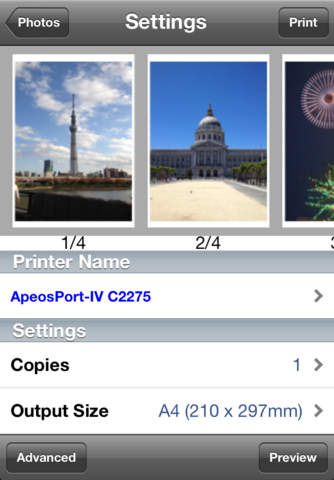
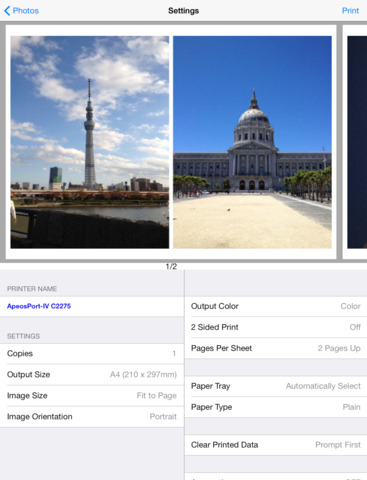
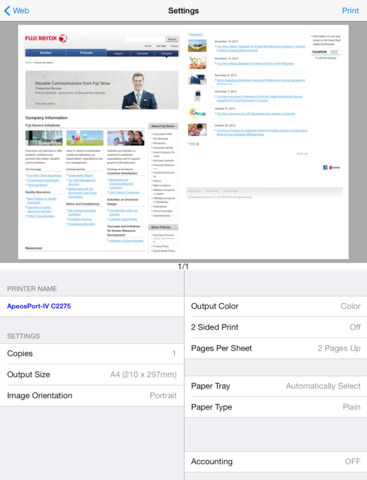
Print Utility for iOS is a free printing and scanning application for.iPad/iPhone/iPod touch. Web pages, photos, contact information and PDF/DocuWorks* documents in your iPad/iPhone/iPod touch can be printed from Fuji Xerox multifunction devices and printers supported by this application.You can also scan images(PDF/JPEG) into your.iPad/iPhone/iPod touch with Fuji Xerox multifunction devices .
* DocuWorks is software that enables seamless integration of electronic documents and paper documents imported from scanners.
Key Features
- Printing DocuWorks & PDF documents from a document viewer application.
- Printing Web page, Contacts, Photos and captured photo.
- Printing from any idle device (=On Demand printing) becomes available by linking with ApeosWare Management Suite and/or Serverless On-Demand Print function,
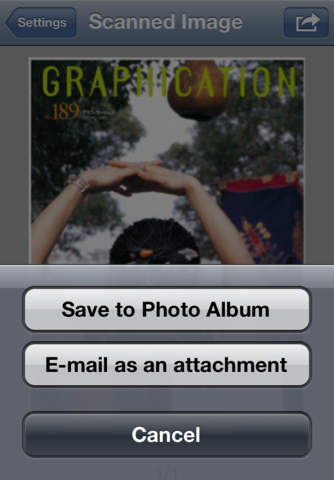
-Scanning images(PDF/JPEG) into your iPad/iPhone/iPod touchwith Fuji Xerox multifunction devices. Scanned JPEG documents can be E-mailed as an attachment or saved to Photo Album, while scanned PDF/DocuWorks documents can be E-mailed as an attachment or route to a document viewer application.
System Requirements
- Compatible models should be used.
- Your iPad/iPhone/iPod touch should be connected to the wireless LAN network.
- Port9100 or LPD should be enabled on your multifunction devices or printers connected to the LAN network.
- Bonjour should be enabled on your multifunction devices or printers for device discovery (if Bonjour is disabled, a user can specify a printers IP address manually)
Supported Languages
- English, Korean, Simplified Chinese, Traditional Chinese, Thai, Japanese
Supported OS
- iPad/iPhone/iPod touch iOS 5 or later (the latest version is recommended)
iPhone 3G and iPod touch 1st/2nd Gen. are not supported.
Compatible Models
Please kindly confirm with Fuji Xerox official website as follows,
For customers in Asia Pacific excluding Japan:
http://www.fxap.com.sg/product/productDescription.jsp?id=166
For customers in Japan:
http://www.fujixerox.co.jp/product/software/printutility_ios/ (Japanese)
Notes and Restrictions
- When you print a DocuWorks document, you may get garbled or overlapped characters, which is different from the display on the iPhone, iPad or iPad touch.
- Printing may be aborted if a document including extended characters is printed.
- You may get garbled or overlapped characters if a PDF file which doesnt contain whole font information used in the PDF document is printed.