Is this your app? Claim this page to add your own description, links and contact info. It's free. →
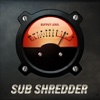
Sub Shredder Low Frequency Bass Test at Mac App Store analyse
The Strange Agency LLC
Version
1.1
Size
519.3 Kb
Updated
2 months ago
Released
19 Apr 2009
Screenshots

Description
TAKE IT UP TO THE RED
With Sub Shredder you can finally pound your home or car sound system into sonic submission! Test the limits of your subwoofer! Punish your amplifier with unbridled sonic fury! Frighten your neighbors! Take it up to the RED!
I DONT HEAR ANYTHING
Activate Sub Shredder by pressing one of the numbered buttons to select an output frequency. Drag the gain knob up or down to control volume.
Audio systems without an adequate woofer, like the speakers on your iPhone, cannot produce low frequency sounds at audible volumes. Subwoofers allow you to hear (AND FEEL) frequencies below 100 Hz. Sub Shredder is useless unless your phone is jacked into a serious sound system!
WATCH THE STACK
Stacking sine waves sums their amplitudes resulting in HUGE GAIN CHANGES. Be careful and select multiple test frequencies at LOW GAIN SETTINGS ONLY.
WATCH THE BEAT - OR - WHY IS THE NEEDLE DANCING?
When you combine sound waves of different frequencies, beats at a frequency determined by the difference of these frequencies are created. For example, adding 40 Hz to 45 Hz creates a 5 HZ tone. You just might see your subwoofer wiggle!
THE RED BUT NO FURTHER
When you hear the audio distorting, audio waves are being clipped. Clipped waves are square waves. Square waves eat speakers for breakfast. You have been warned.