Is this your app? Claim this page to add your own description, links and contact info. It's free. →

TouchChat HD Hebrew at Mac App Store analyse
Prentke Romich Company
Version
2026.2.0
Size
2.13 Gb
Updated
4 months ago
Released
09 Jun 2014
Screenshots
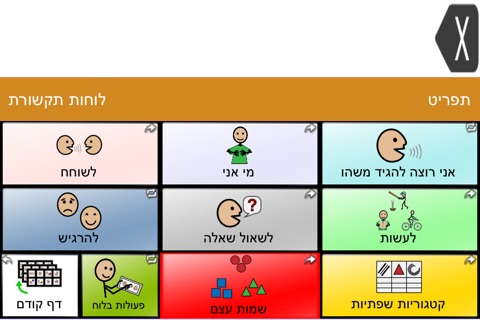
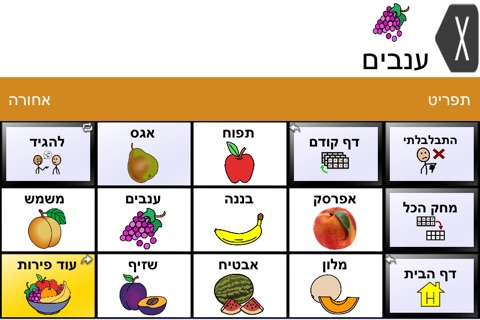
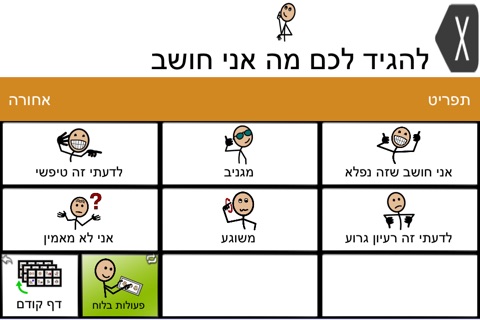
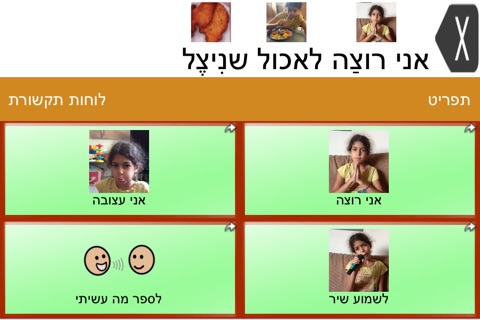
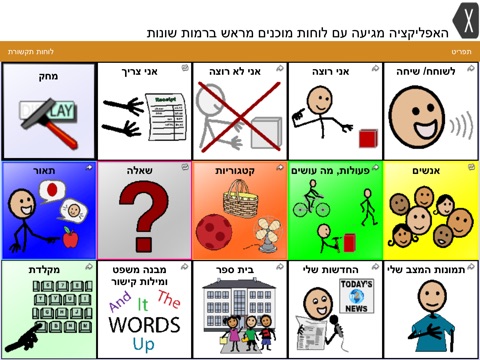
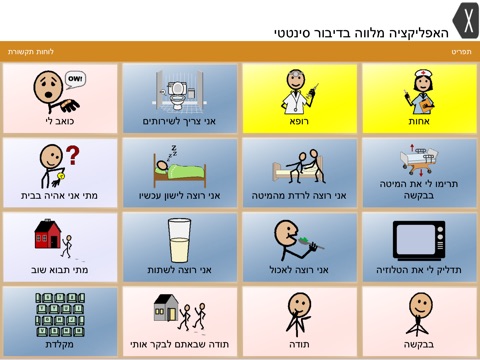
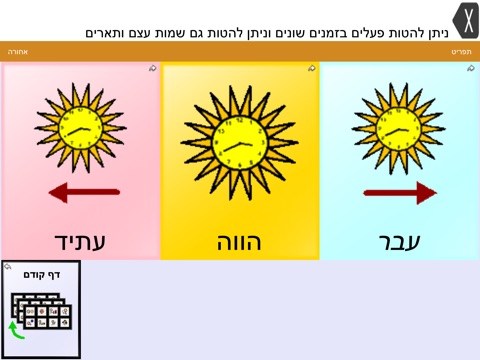
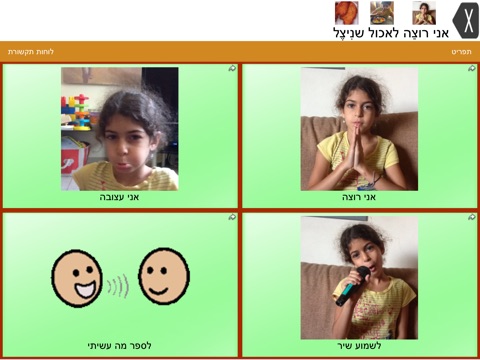
Description
TouchChat Hebrew is a full-featured communication solution for individuals who have difficulty using their natural voice. TouchChat is designed for individuals with Autism, Down Syndrome, ALS, apraxia, stroke, or other conditions that affect a person's ability to use natural speech.
TouchChat provides both English and Hebrew options in one universal app supporting iPhone®, iPod touch® and iPad®.
TouchChat fits into the category of assistive technology known as Augmentative and Alternative Communication (AAC) and includes features that were previously only available in much more expensive dedicated devices. Words, phrases and messages are spoken with a built-in voice synthesizer or by playing a recorded message. Various English and Hebrew synthesized voices are available, allowing the user to choose a voice that fits their own personality.
TouchChat also has a unique feature whereby one can simply tilt the device to make the message expand to fill the screen in large letters. This feature allows a person to communicate silently or in a noisy environment.
TouchChat gives an individual the ability to navigate through page sets and speak messages. Page sets are linked pages, each of which is divided into a number of buttons. The buttons are programmed to have specific actions, such as speaking a message, navigating to a different page, changing the volume or clearing the display.
Text generated with TouchChat pages can be shared on social media or via iMessage® and email using a wireless connection. Generate a message, push on the text window and choose a service. Additionally, text can be copied to/from TouchChat and other applications so it can be spoken out loud.
The pages, grid layout, buttons, messages, and symbols are fully customizable. Buttons can be copied and pasted into a different location or rearranged by simply dragging them to the desired new location. The styling of a button (colors, borders, fonts) can also be copied and pasted into another button.
Provided page sets can be modified to create new custom page sets. Select from over 45 button actions and nearly 40,000 Symbolstix® symbols* when creating new buttons. You can also choose to use an existing image or take a photo with the built-in camera. Additionally, gestures can be used to navigate to new pages, speak messages, etc.
*Please note: PCS© symbols are not compatible with the TouchChat app.
Once programming is complete, be sure to protect custom files. Vocabulary files can be imported and exported to a computer through iTunes® file sharing, DropBox™ or Google Drive™.
iPhone, iPod touch and iPad are trademarks of Apple Inc., registered in the U.S. and other countries.
Estimates
Availability
Devices
iPhone4
iPad2Wifi
iPad23G
iPhone4S
iPadThirdGen
iPadThirdGen4G
iPhone5
iPodTouchFifthGen
iPadFourthGen
iPadFourthGen4G
iPadMini
iPadMini4G
iPhone5c
iPhone5s
iPadAir
iPadAirCellular
iPadMiniRetina
iPadMiniRetinaCellular
iPhone6
iPhone6Plus
iPadAir2
iPadAir2Cellular
iPadMini3
iPadMini3Cellular
iPodTouchSixthGen
iPhone6s
iPhone6sPlus
iPadMini4
iPadMini4Cellular
iPadPro
iPadProCellular
iPadPro97
iPadPro97Cellular
iPhoneSE
iPhone7
iPhone7Plus
iPad611
iPad612
iPad71
iPad72
iPad73
iPad74
iPhone8
iPhone8Plus
iPhoneX
iPad75
iPad76
iPhoneXS
iPhoneXSMax
iPhoneXR
iPad812
iPad834
iPad856
iPad878
iPadMini5
iPadMini5Cellular
iPadAir3
iPadAir3Cellular
iPodTouchSeventhGen
iPhone11
iPhone11Pro
iPadSeventhGen
iPadSeventhGenCellular
iPhone11ProMax
iPhoneSESecondGen
iPadProSecondGen
iPadProSecondGenCellular
iPadProFourthGen
iPadProFourthGenCellular
iPhone12Mini
iPhone12
iPhone12Pro
iPhone12ProMax
iPadAir4
iPadAir4Cellular
iPadEighthGen
iPadEighthGenCellular
iPadProThirdGen
iPadProThirdGenCellular
iPadProFifthGen
iPadProFifthGenCellular
iPhone13Pro
iPhone13ProMax
iPhone13Mini
iPhone13
iPadMiniSixthGen
iPadMiniSixthGenCellular
iPadNinthGen
iPadNinthGenCellular
iPhoneSEThirdGen
iPadAirFifthGen
iPadAirFifthGenCellular
iPhone14
iPhone14Plus
iPhone14Pro
iPhone14ProMax
iPadTenthGen
iPadTenthGenCellular
iPadPro11FourthGen
iPadPro11FourthGenCellular
iPadProSixthGen
iPadProSixthGenCellular
Version History
Latest: 2026.2.0
It’s not enough to be up to date, we are always working toward tomorrow.
New in this release:
New feature: Create a custom page from a word list
v2025.3.0
4 months ago