Is this your app? Claim this page to add your own description, links and contact info. It's free. →

Version
2.6.1
Size
84.95 Mb
Updated
2 months ago
Released
23 May 2018
Screenshots

Description
The best camera is the one you have with you. But what if that camera was improved with pro features, a gorgeous interface, intuitive controls, and was always with you?
That camera is Obscura.
Camera
————————————————
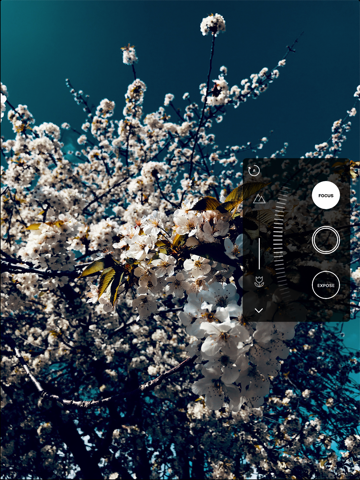
Obscura is designed to make it fast and easy to capture stunning images. Whether youre shooting in portrait or landscape, the Control Wheel fits into your hand perfectly. You wont be fumbling around trying to capture a photo when youre in a hurry – everything is accessible with one thumb. Finely tuned haptic feedback gives the devices a sense of physicality, so you can feel every adjustment.
Format
————
You can shoot in a wide range of formats:
• RAW - capture more details and allow for a greater amount of flexibility when editing.
• HEIC - a new image format that uses advanced compression for high quality files at smaller sizes.
• JPEG - You can never really go wrong with JPEG, can you? It just works everywhere.
• Live Photo - combine high resolution photos with video clips that bring your images to life.
• Depth - allows you to apply exciting portrait mode effects and more.
Filters
————
Obscura includes a bunch of gorgeous filters to add style to your images.
There are 19 included filters, perfect for a wide range of scenes.
• A Sepia filter unlocked by sharing the app with friends
• A Black & White filter pack, including 8 filters. Especially good for dealing with low light and striking architecture.
• An Analogue filter pack, including 7 filters. These work great for giving a cinematic look to your images.
Other Camera Features
————
Obscura has all the features you expect in a great camera app, including:
• Flash control
• Grids
• Shutter Timer
• Spirit Level
Library
————————————————
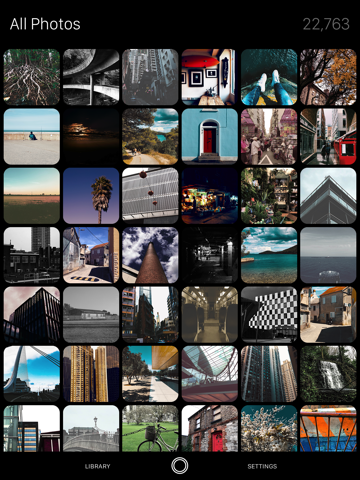
With a single swipe you can browse your library.
But Obscura doesn’t just have a simple image browser, it’s much more powerful than that. Here’s what you can do:
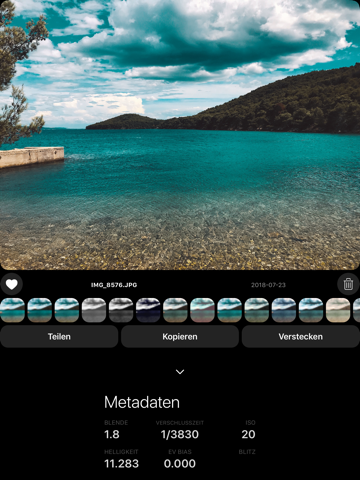
• Edit - Apply Obscura’s gorgeous filters to images you’ve just captured (or images from other, lesser camera apps). You can save the filtered image as an adjustment, or as a new copy.
• Share - There’s a good old share sheet, so you can share with your friends, and open images in other apps.
• Copy - quickly copy an image to the clipboard, so you can share it with ease.
• Favourite - Mark an image as favourite. Simple.
• Hide - Not every image is for everyone to see. It’s cool. We get it.
• Delete - Goodbye forever little photo.
• Trash - Obscura has a neat little feature where you can add photos to a special trash album, so you can delete them all in one go. Efficient.
Settings
————————————————
With a wide range of customisation options, Obscura works your way. You can change the effects of gestures, secondary capture formats, and even the app icon!
Privacy
————————————————
We believe that your personal information belongs to you. Obscura doesn’t collect any information about you, so there’s nothing to share with third parties, nothing can be hacked or leaked, because we don’t have it. We think that’s best for everyone.
The only data we see is the opt-in analytics that’s automatically collected by iOS. See more about it at apple.com/privacy
Extras
————————————————
Obscura has a Notification Center widget, which makes it quick and easy to access the app from the lock screen.
Press firmly on the app icon on your home screen to quickly jump to some of Obscura’s features.
Requirements
————————————————
Not all features are available on every device :(
Focus Peaking - requires iPhone 6 or newer
RAW capture - requires iPhone 6S or newer
HEIC capture - requires iPhone 7 or newer
Depth Capture - requires Dual Camera (iPhone 7 Plus, iPhone 8 Plus, iPhone X)
Advanced Haptic Feedback - requires iPhone 7 or newer
————————————————
Made by Ben Rice McCarthy
http://www.benricemccarthy.com/
More info at
http://obscura.camera
Estimates
Search Keywords 1
| # | Term | Country | Place | Priority |
|---|---|---|---|---|
| 1 | a better camera | #6 | ⭐️⭐️⭐️⭐️ |